The Best No-Code and AI Tools to Build an MVP in 2026
Building an MVP has never been cheaper or faster than in 2026. AI app builders, no-code platforms, and AI coding assistants have completely rewritten the rules. In this guide, we compare every tool that matters — with real costs, decision frameworks, and concrete stack recommendations for your founder type.
For most founding teams the 2026 shortlist is short: Lovable or Bolt.new if you want a running app straight from a prompt; Bubble or FlutterFlow for no-code without a developer; Claude Code or Cursor once the product has to survive real users. No-code wins on speed to a first version — AI-assisted coding wins on everything after that, because you keep the code.
TL;DR — the 5 key points
- Generative AI projects on GitHub grew +98% in 2024 (Octoverse). The tool landscape is doubling yearly.
- Claude Sonnet 4.5 leads SWE-Bench Verified at 77.2% — the new standard for serious AI coding.
- 76% of all developers use or plan to use AI tools in 2024 (Stack Overflow). AI coding is the default, not a niche.
- Lovable (DE/EU stack) reached 8M users and $200M ARR in 12 months — prompt-to-app is real.
- Decision guide by founder type: no-code, AI-assisted, native, or hybrid — based on your skill stack.
Why Your Tool Choice Can Make or Break Your Startup
In 2026, an MVP can be up and running in hours instead of months. What once required $50,000 – $150,000 and a dev team can now be achieved with $0 – $100 in monthly tooling costs. The barrier to entry has never been lower.
AI app builders, no-code platforms, AI coding assistants, backend-as-a-service — pick the wrong tool and you'll waste weeks wrestling with it instead of weeks spent validating.The sheer number of tools is overwhelming.
This guide helps you make the right call. We've tested and compared the most important tools of 2026, organized into clear categories — always from one perspective: Which tool gets you to validated market data the fastest?
Not sure what an MVP actually is? Our MVP guide covers everything from the definition to a step-by-step playbook.
The numbers confirm the shift: per GitHub Octoverse 2024 , generative AI projects on GitHub grew +98% in 2024 — and Python overtook JavaScript as the most-used language for the first time. The Stack Overflow Developer Survey 2024 confirms it: 76% of all developers use or plan to use AI tools. AI coding is the default, not a niche.
Three Generations of MVP Tools
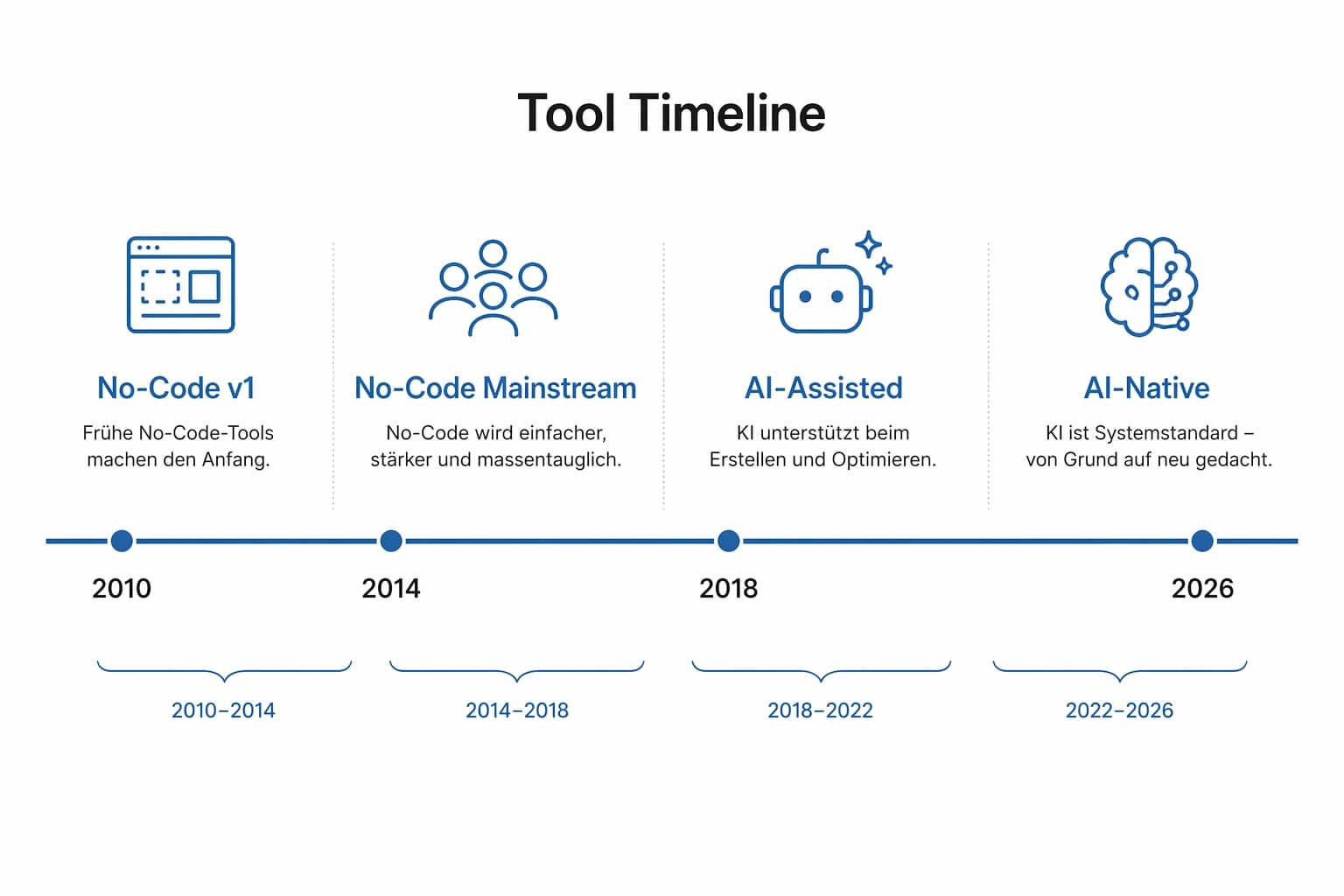
The MVP tool landscape has evolved in three waves. Each generation is faster and more accessible than the last:
Generation 1 · 2018–present
No-Code / Low-Code
Visual editors, drag-and-drop. No code required, but manual configuration. Learning curve: days to weeks.
Bubble, Webflow, FlutterFlow
Generation 2 · 2024–present
AI App Builders
Text prompt → finished app. The AI generates frontend, backend, and database. Learning curve: minutes.
Lovable, Bolt.new, v0, Replit
Generation 3 · 2025–present
AI Coding Assistants
AI writes real code in your project. Full control, maximum scalability. Learning curve: programming skills required.
Claude Code, Cursor, Copilot
Important: These generations don't replace each other. Each has its place — depending on your technical background, budget, and goal. Most successful MVP stacks in 2026 combine tools from multiple generations.
AI App Builders: The 2026 Game-Changer
AI app builders are the undisputed standard for first-stage validation in 2026. You describe your app in plain text and the AI builds the scaffolding. What was science fiction two years ago is everyday reality now.
Lovable
Lovable (formerly GPT Engineer) is currently one of the fastest ways to turn a text description into a fully functional web app. Perfect for making an idea clickable within 30 minutes. Lovable generates React code you can continue using later — no vendor lock-in.
Best for: Non-technical founders who want to validate an idea fast. SaaS prototypes, internal tools, landing pages with logic.
Lovable is also a commercial proof that prompt-to-app works: 8M users, $200M ARR, and a $6.6B valuation in December 2025 within 12 months (TechCrunch). Especially relevant for European founders: Lovable is an EU/DE-friendly stack.
Bolt.new
Bolt.new runs entirely in the browser — no setup, no terminal, no deployment headaches. Enter a prompt, watch the code appear live, and iterate immediately. Currently the fastest prototyping tool on the market.
Best for: Quick proof-of-concepts when you want to know within an hour whether an idea is technically feasible.
v0 by Vercel
v0 is the gold standard for prompt-based UI design. It generates highly polished React components from descriptions or screenshots. Ideal as a complement to other tools: let v0 build the UI and integrate it into your stack.
Best for: Teams that need professional UI components fast, without hiring a designer.
Replit Agent
When your MVP needs more “intelligence” — complex database logic, API integrations, or AI features — Replit Agent is the right pick. The agent writes the code, spins up the server, and deploys live. Everything in the cloud, everything in one go.
Best for: MVPs with backend logic that goes beyond simple CRUD operations.
No-Code Platforms: From Zero Code to a Scalable App
AI builders are perfect for quick validation. But when your MVP needs to be more than a prototype — when it has to handle your first 1,000 users — the no-code heavyweights enter the picture.
Bubble: The Most Powerful No-Code Tool
Bubble remains the go-to choice for complex web apps: SaaS platforms, marketplaces, internal tools with sophisticated business logic. The learning curve is steeper than with AI builders, but you can build almost anything without code — including user management, workflows, and databases.
Heads up: Bubble offers no code export. If scaling past 10,000 users is your goal, plan an exit strategy from day one.
Webflow: Agency-Grade Design Quality
Webflow combines visual web design with CMS functionality. Ideal for landing pages, marketing websites, and content-driven MVPs. The SEO capabilities are excellent, and the design freedom is unmatched.
Ideal for: Marketing MVPs where design and conversion take center stage.
FlutterFlow: The Top Choice for Mobile Apps
If your MVP is a native mobile app, FlutterFlow is hard to beat. It generates real Flutter code for iOS and Android simultaneously. The biggest advantage: you can export the code and continue developing with your own team later.
Softr & Glide: The Lego Approach
Softr and Glide use Airtable or Google Sheets as a database. In 2 hours you can have a working portal, an internal tool, or a simple marketplace. Perfect for the fastest possible validation with minimal effort.
Market context: Gartner forecasts 14.1% CAGR for the low-code market, reaching $58B by 2029 — no-code is no longer a niche category but infrastructure.
AI Coding Assistants: Full Control with AI Power
For technical founders or teams with developers, AI coding assistants offer the best of both worlds: the speed of AI with the flexibility of real code. No platform limits, no vendor lock-ins, unlimited scalability.
Claude Code: Autonomous Agentic Coding
Claude Code isn't a simple code assistant — it's an AI agent with access to your entire codebase. You describe a feature and Claude Code implements it autonomously: reads existing code, plans the architecture, writes the code, creates tests. The result: entire features in hours instead of days.
Best for: Technical founders who need production-ready code. Ideal combined with Supabase and Vercel.
Technical benchmark: Claude Sonnet 4.5 leads SWE-Bench Verified at 77.2% — currently the best score on real software-engineering tasks. That's exactly what makes Claude Code the standard for serious AI coding.
Cursor: The AI-Native IDE
Cursor is a full-featured IDE with deeply integrated AI capabilities. You write code while the AI completes, refactors, and explains. The difference from Claude Code: Cursor gives you more manual control over every step. Claude Code gives the AI more autonomy.
Cursor is a power drill. Claude Code is a construction company.
Cursor has also gone mainstream: per CNBC, Cursor hit 1M daily active users, over $1B ARR, and a $29.3B valuation in November 2025 — a clear signal that AI-native IDEs are the new norm.
GitHub Copilot: The All-Rounder
Copilot integrates directly into VS Code and other IDEs. Still excellent for auto-completion and small tasks. For complex MVP development in 2026, however, it's less autonomous than Cursor or Claude Code.
Productivity evidence: a GitHub study with 95 developers shows Copilot users completed a task 55% faster — solid evidence that AI assistance already measurably impacts work at the code level.
Backend & Infrastructure: The Glue
An MVP often comes down to cleverly connecting existing services. These tools give you a database, authentication, payments, and hosting — without worrying about servers.
Supabase: The Modern Backend
Supabase is the de facto standard for MVP backends in 2026. It provides a PostgreSQL database, authentication (social login, magic links), file storage, and real-time subscriptions — all in one. The free tier covers 50,000 monthly active users. Especially relevant for European markets: Supabase can be hosted on EU servers in Frankfurt — GDPR-compliant.
Vercel & Netlify: Hosting & Deployment
Vercel (the company behind Next.js) and Netlify make deployment a one-liner. Git push, done. Both offer free tiers, global CDNs, and EU regions. Vercel is our recommendation for Next.js-based MVPs.
Stripe & Lemon Squeezy: Payments
For payment processing, Stripe is the standard: SaaS subscriptions, one-time payments, invoicing — with PSD2 compliance for Europe. Lemon Squeezy is the simpler alternative for digital products and also handles tax administration.
Make (formerly Integromat): Automation
Make connects your tools without code: Form → Database → Email → CRM. Ideal for so-called piecemeal MVPs, where you stitch together existing services into a working product.
The Big Comparison: All Tools at a Glance
Overview of the most important MVP tools in 2026 by category, cost, and scalability. Scroll horizontally on mobile devices.
| Tool | Category | Best for | Cost | Speed | Code Export | Scalability |
|---|---|---|---|---|---|---|
| Lovable | Prompt → full-stack app | from $20/mo | Hours | Yes | High | |
| Bolt.new | Fastest prototyping | from $20/mo | Minutes | Yes | Medium | |
| v0 (Vercel) | UI components | from $20/mo | Minutes | Yes | High | |
| Replit Agent | Full-stack in the cloud | from $25/mo | Hours | Yes | High | |
| Bubble | Complex web apps, SaaS | from $29/mo | 1–3 weeks | No | Medium | |
| Webflow | Design-driven websites | from $14/mo | 3–7 days | HTML/CSS | High | |
| FlutterFlow | Mobile apps (iOS/Android) | from $30/mo | 2–4 weeks | Yes (Flutter) | High | |
| Softr | Portals & internal tools | Free–$169 | 3–10 days | No | Medium | |
| Claude Code | Autonomous agentic coding | Usage-based | Days | — (is code) | Unlimited | |
| Cursor | AI-native IDE | from $20/mo | Days | — (is code) | Unlimited | |
| GitHub Copilot | Code auto-completion | from $10/mo | Days–weeks | — (is code) | Unlimited | |
| Supabase | Database + Auth + Storage | Free–$25 | — | — | High |
Recommended Stacks by Founder Type
The best MVP setup isn't a single tool — it's a smart combination. Here are our recommendations based on your starting point:
Non-Technical Solo Founder
Lovable + Supabase + Vercel
Maximum speed, no code required. Lovable generates the app, Supabase provides the backend, Vercel hosts it. MVP in days, not weeks.
Cost: ~$40–$65/month
Technical Founder
Cursor + Claude Code + Supabase + Vercel
Full control over the code, maximum scalability. Cursor for hands-on work, Claude Code for the big features. Production-ready from day 1.
Cost: ~$40–$70/month
Team with a Designer
Figma + v0 + Claude Code + Supabase
Designer creates screens in Figma, v0 generates React components from them, Claude Code builds the backend. Perfect division of labor.
Cost: ~$60–$100/month
Validation Only (No Product)
Carrd + Tally + Mailchimp
Landing page in 1 hour, a form for feedback, an email list for interested leads. Cost: practically zero. Perfect for fake-door tests.
Cost: $0–$15/month
How We Build MVPs at decivo
Our stack: Figma for clickable prototypes and UX testing. Claude Code as an autonomous coding agent that ships features in hours instead of weeks. Supabase as the backend (database, auth, storage — on EU servers). Vercel for deployment with a single git push. Linear for project management.
What fundamentally sets our process apart from pure AI prototyping: We validate every single step with real humans. Before a single line of code is written, we test assumptions with real users. After every development sprint, we gather feedback. Every design decision is measured against actual behavior — not guesswork. This relentless focus on human validation makes an extreme difference: it prevents you from sinking weeks into features nobody needs and ensures that every iteration brings you closer to product-market fit.
The result: validated MVPs in days instead of months — with production-ready code that can be developed further right away. Not a throwaway prototype, but a real foundation.
GDPR & Data Privacy: What You Need to Know
A pro tip for the European market: Get GDPR right from the start. Your MVP will be taken offline faster than the first leads come in if your privacy policy isn't in order.
Tools with EU Hosting
- Supabase: Can be hosted on AWS Frankfurt — full data sovereignty within the EU.
- Vercel: Offers EU regions (Frankfurt, Amsterdam).
- Bubble: Offers dedicated EU servers as an option.
- Airtable: Enterprise plan enables EU data residency.
GDPR-Compliant MVP Checklist
- Sign a Data Processing Agreement (DPA) with every tool provider
- Create a privacy policy covering all tools in use
- Implement a cookie banner (if analytics or tracking are active)
- Enable EU hosting options on all tools
- Opt-in for marketing emails (double opt-in is legally required in the EU)
5 Common Tool-Choice Mistakes
Too many tools too early
Founders pick 10+ tools and get overwhelmed by configuration. Start with a maximum of 3–4 core tools. That's all an MVP needs.
Tool overengineering
Bubble for a landing page? Claude Code for a feedback form? Pick the simplest tool that solves your problem — not the most powerful one.
No exit strategy
Building an MVP in Bubble without thinking about code export creates a migration headache later. Plan how you'll scale from the very start.
Optimizing for cost instead of speed
The cheapest platform is useless if it takes you 3 months. Time is the most valuable currency for an MVP — optimize for that.
Skipping the design phase
Jumping straight to code without testing a clickable prototype first leads to costly wrong turns. Spending 20 % of your time on design validation saves 80 % in development costs.
Related tool
Already built an MVP with one of these tools? Then the next question isn't which tool, but whether the result holds up. Our free Vibe Code Rescue scan checks no-code and AI-generated apps for security, open databases, and technical debt — in minutes, no sign-up.
Sources
Every figure in this article comes from the publications below. Where we use our own data, the study is named in the text.
- GitHub — Octoverse 2024: Generative-AI-Projekte auf GitHub
- Stack Overflow Developer Survey 2024 — AI-Sektion
- GitHub — Quantifying GitHub Copilot's impact on developer productivity and happiness
- Anthropic — Claude Sonnet 4.5 (SWE-Bench Verified)
- TechCrunch — Lovable raises $330M at a $6.6B valuation (2025)
- CNBC — Cursor maker Anysphere funding round and valuation (2025)
- Gartner — Low-Code Development Technologies Forecast
Everything You Need to Know About MVP Tools
What is the best MVP tool?
There is no single best tool — the right choice depends on your goal. For maximum speed: Lovable or Bolt.new. For complex web apps without code: Bubble. For mobile apps: FlutterFlow. For full control with AI assistance: Cursor or Claude Code with Supabase.
Can you really build an MVP without coding?
Yes. No-code platforms like Bubble or Webflow let you build complete web apps without writing a single line of code. AI app builders like Lovable go even further: you describe your app in plain language and the AI generates the code. For many MVP types, you definitely don't need programming skills in 2026.
How much do MVP tools cost per month?
Many tools offer free starter tiers. A typical MVP stack costs between $0 and $100 per month: Supabase (free), Vercel (free), Lovable or Cursor (~$20 each). For comparison: a development team easily costs $10,000 – $20,000 per month.
What is the difference between no-code and AI app builders?
No-code tools (Bubble, Webflow) offer visual drag-and-drop editors — you build the app manually, just without code. AI app builders (Lovable, Bolt.new) go a step further: you describe what you want and the AI generates the entire application. AI builders are faster; no-code gives you more manual control.
Which tools are GDPR-compliant?
Supabase can be hosted on EU servers (Frankfurt), making it GDPR-friendly. Vercel offers EU regions. Bubble stores data on AWS and offers EU hosting options. As a general rule, you need to verify where each tool stores data and sign a data processing agreement (DPA).
Can I switch from no-code to real code later?
That depends on the tool. FlutterFlow exports real Flutter code. AI app builders like Lovable generate React code you can continue working with. Bubble, however, offers no code export — you're locked into the platform. Plan an exit strategy from the start if scalability matters to you.
Do I still need a designer for my MVP?
Not necessarily. v0 by Vercel generates professional UI components from text descriptions. Lovable creates visually appealing interfaces automatically. For a validation-focused MVP, that's often enough. Bringing in a designer is worthwhile when UX is a core competitive advantage of your product.
What is the fastest tool for building an MVP?
Bolt.new is currently the fastest path: you can have a working web app in under 30 minutes. Lovable follows close behind. For landing-page MVPs, Carrd is ready to go in under an hour. Speed also depends heavily on how clearly you've defined your requirements.
How does Cursor differ from Claude Code?
Cursor is an IDE with built-in AI features — you write code while the AI assists. Claude Code is an AI agent with access to your entire codebase — it can autonomously implement whole features. Cursor offers more manual control; Claude Code offers more autonomy.
When do I need my own development team?
As long as you're validating, you don't need a team. Only once your MVP shows product-market fit and you're scaling does a dedicated team make sense. Typical thresholds: over 10,000 active users, complex business logic that pushes past no-code limits, or regulatory requirements (e.g. fintech, medtech).
Related articles
- Building an MVP
Building an MVP with AI 2026: The Complete Workflow from Idea to Launch
The Clarity-before-Code Sprint: Five phases from problem to live product. With Claude Code, Cursor, Figma & Supabase — prompt vault, GDPR checklist, and realistic cost table included.
- Building an MVP
Finding an MVP Agency 2026: The Honest Guide
Platforms, real costs, red flags, and the comparison: agency vs. freelancer vs. boutique vs. AI-DIY. Honest, no sales pitch.
- AI code quality
Lovable Alternatives 2026: An Honest Comparison + What Actually Helps
Four categories of alternatives — from Bolt.new and Cursor to a Lean Software Studio. With a decision guide, real costs, and the honest question: tool problem or skill problem?
Clear decisions instead of tool chaos
Now you know what's out there — we make sure you pick the right stack. In a free discovery call, we analyze your idea, recommend the optimal tools, and build your MVP production-ready in weeks instead of months.
Clearly structured. No sales pressure. Ready to start within days.