Vibe Coding · Reality Check 2026
Vibe Coding: From Prototype to Product — what comes after the first prompt
Your prototype works. You built it in a weekend with Lovable, or in three evenings with Cursor. Then you try to add a new feature — and everything breaks. Welcome to the vibe coding hangover. The honest guide: maturity scale, Stack of Truth, Clarity Retrofit, and three realistic paths to a real product.
Three paths lead from a vibe-coded prototype to a product: keep prompting (cheap, breaks past a certain size), a targeted retrofit (add tests, types and access control while keeping the code), or rebuild the core with the prototype as a living specification. What decides it is not how ugly the code looks but whether four things exist: a clear data model, access control in the database, tests for the core path, and an environment where you can change things safely.
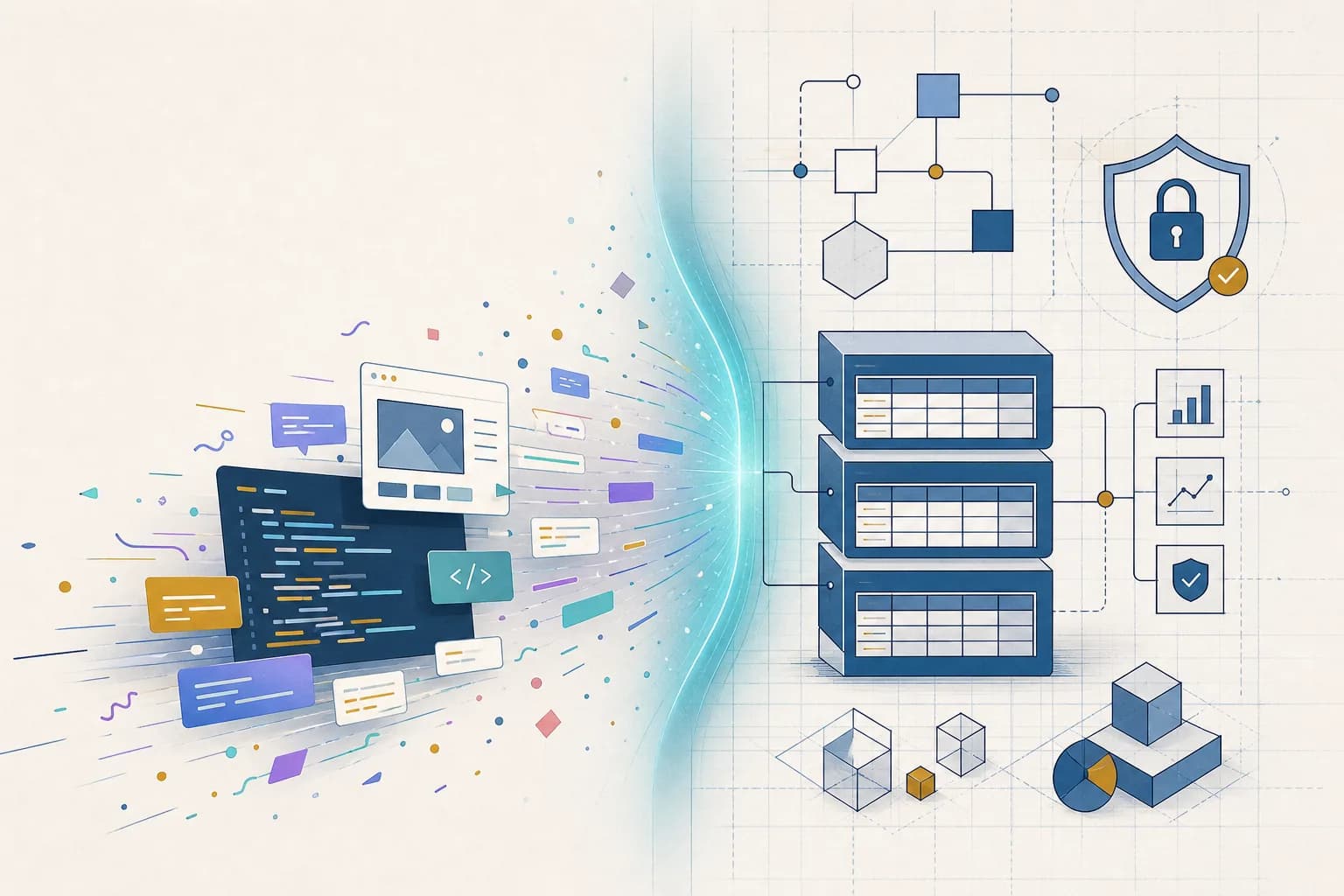
Your prototype works. You built it in a weekend with Lovable, or in three evenings with Cursor. Users can sign in, the core function does what it should, and you think: this could be something.
Then you try to add a new feature — and everything breaks. Or you want to show someone the code, and nobody understands the structure. Or you notice that user data is sitting unencrypted in an open database.
Welcome to the vibe coding hangover.
You're not alone. 41% of code written worldwide is now AI-generated. 25% of Y Combinator startups in winter 2025 had codebases that were 95% from AI. And analysts forecast $1.5 trillion in technical debt by 2027 — built up by code that nobody really understands.
This article is for everyone standing at exactly this point: the prototype is alive, but the path to a real product is unclear. We show where you stand, what's holding you back, and which concrete steps move you from vibe code to production code.
TL;DR — the 5 key points
- 41% of code written worldwide is now AI-generated. 25% of YC startups winter 2025 had codebases 95% from AI. Analysts expect $1.5T in technical debt by 2027.
- The "vibe coding hangover" has 5 symptoms: incomprehensible code, hidden security flaws (2.74× more than human code), exponential tech debt, complexity ceiling, GDPR blindspot.
- Maturity scale in 4 stages: Prototype → Demo → MVP → Product. Most vibe apps sit at stage 1 or 2 — the jump to 3 is the most critical.
- Clarity Retrofit in 3 steps: Extraction (document the as-is) → Injection (define rules as CLAUDE.md) → Refactoring (rewrite cleanly piece by piece).
- decivo handles the transition in a few days to a maximum of 2 weeks — instead of the industry-standard 4–8 weeks, because vibe code already serves as validated specification.
What vibe coding does brilliantly — and where it stops working
The real strengths of vibe coding
Vibe coding democratised software development. That's not exaggeration — it's measurable reality. Collins Dictionary picked "vibe coding" as word of the year 2025. 92% of US developers use AI coding tools daily. And 63% of vibe coding users aren't developers.
For specific scenarios, vibe coding is a real revolution:
Prototypes and MVPs
Make a business idea testable in hours instead of months. No budget for a developer team needed. The entry barrier is lower than ever.
Internal tools
A dashboard, an automation script, a lead form — tasks that used to cost weeks and thousands of euros emerge in hours.
Idea validation
Before investing €30,000 in an agency, you build a prototype and test whether the idea works at all. That's the smartest use of vibe coding.
At decivo we use AI coding tools in every project. Claude Code and Cursor are fixed parts of our workflow. We're not critics of AI-driven development — we're practitioners who experience the difference between prototype and product every day.
The vibe coding hangover: 5 symptoms
Fast Company coined the term "vibe coding hangover" in September 2025 — and since then senior engineers worldwide have reported "development hell" with AI-generated code. The data is unambiguous:
Symptom 1 — Code nobody understands
AI-generated code works, but it's not readable. No documentation, no clear structures, no traceable architecture decisions. 63% of developers report spending more time debugging AI code than they would have needed to write it manually.
Symptom 2 — Hidden security flaws
A CodeRabbit analysis of 470 open-source pull requests found AI-co-written code contains 2.74× more security issues than human-written code. Typical problems: hard-coded API keys, missing authentication, open database access.
Symptom 3 — Technical debt grows exponentially
GitClear analysed 153 million lines of code and documented: 60% less refactoring since 2021, while code duplication quadrupled. Vibe-coded projects accumulate technical debt about three times faster than traditionally written ones.
Symptom 4 — The complexity ceiling
As long as the app has 3 to 5 screens, vibe coding works reliably. As soon as features depend on each other, the database gets more complex, or several user roles enter the picture, the prompt-based approach hits an invisible ceiling.
Symptom 5 — GDPR blindspot
AI tools don't configure security and privacy automatically. Lovable-generated apps run on US servers. Supabase instances are created without Row Level Security. Cookie banners are missing. For DACH startups with personal data, that's a real compliance risk.
Why this isn't failure
If you're standing at this point, you didn't do anything wrong. You did exactly what vibe coding is meant for: quickly testing an idea. Andrej Karpathy himself called it ideal for "throwaway weekend projects". The problem only arises when you mistake the prototype for the product.
The prototype did its job. Now a different job begins.
If you're still unsure whether an MVP is the right next step at all: What is an MVP? explains it with examples.
The vibe-coding maturity scale: where do you stand?
Not every vibe-coded prototype needs the same next step. To determine what you need, we developed the vibe-coding maturity scale — four stages from "it runs on my laptop" to "it scales":
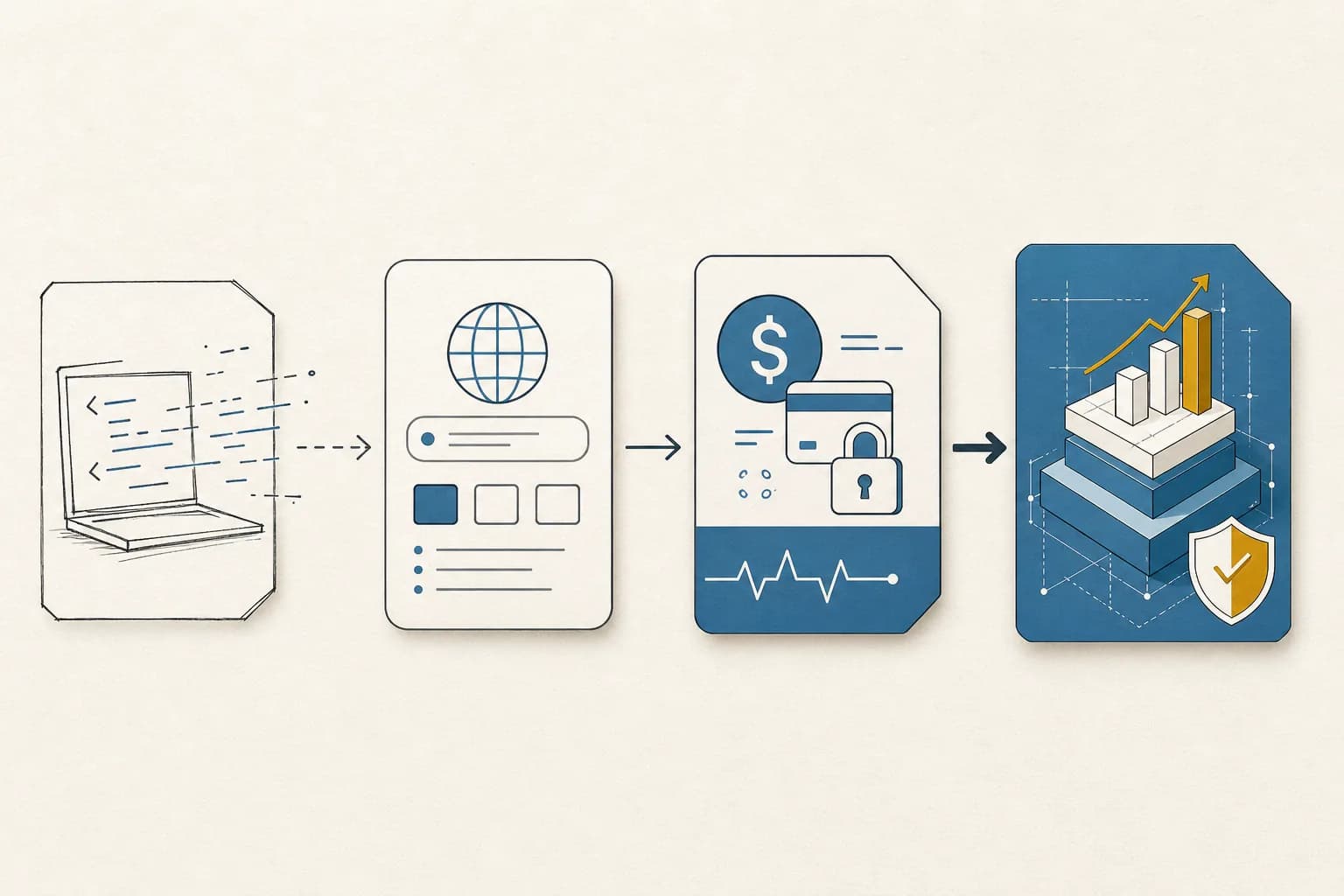
| Stage | Name | Description | Typical traits | What's missing |
|---|---|---|---|---|
| 1 | Prototype | "It works on my laptop" | Functional core features, no tests, no documentation, local database | Everything except the basic function |
| 2 | Demo | "Others can use it" | Deployment on Vercel/Netlify, basic auth, shareable URL | Security, error handling, GDPR |
| 3 | MVP | "I can make money with it" | Stable auth, payments integrated, monitoring, data protection | Scalability, maintainability, tests |
| 4 | Product | "It scales and is maintainable" | CI/CD pipeline, test coverage, documentation, clean architecture | Nothing — ready for growth |
Most vibe-coded apps sit at stage 1 or 2. The jump from stage 2 to stage 3 is the most critical — and the most often underestimated.
Quick test: where do you stand?
Answer these five questions with yes or no:
- Do you have automated tests? (Unit, integration, or E2E)
- Can someone else understand your code in 30 minutes?
- Do you have a privacy policy and know where user data lives?
- Do you have monitoring that notifies you when something breaks?
- Can you add a new feature without existing features breaking?
- 0–1 yes: You're at stage 1. The prototype is alive but fragile.
- 2–3 yes: You're at stage 2. Usable, but not production-ready.
- 4–5 yes: You're at stage 3 or 4. You're further than most.
The Stack of Truth: what separates vibe code from production code
AI-generated code and professional production code differ in eight concrete areas. This table shows the difference — and what has to happen on the way from stage 1 to stage 4:
| Area | Vibe coding (stage 1–2) | Production-ready (stage 3–4) |
|---|---|---|
| Architecture | Flat file structure, everything in few files, no clear separation of concerns | Modular architecture, clear separation (components, hooks, services, utils) |
| State management | useState everywhere, props drilled through 5+ levels, no central store | Zustand/Redux Toolkit or React Context with clear structure |
| Database | Supabase auto-generated, no migrations, no versioning | Supabase with Row Level Security, migrations, branching, TypeScript types |
| Error handling | Try-catch sprawl, errors logged to console or ignored | Centralised error handling, logging with Sentry/GlitchTip, user-facing errors |
| Security | "Open by default" — missing auth checks, hard-coded keys, no input validation | OAuth 2.0 / JWT, env vars, input validation, CORS configured, GDPR-compliant |
| Testing | No tests, manual clicking as QA | Unit tests for business logic, E2E tests for critical flows, CI/CD pipeline |
| Deployment | Manual push to Vercel, no preview envs, no rollback plan | Git-based workflow, preview deploys, staging environment, rollback possible |
| Monitoring | None — errors are discovered when users complain | Analytics (Plausible/PostHog), error tracking (Sentry), uptime monitoring |
This table isn't a theoretical ideal. It's the minimum a product needs before real users with real data work with it.
The Clarity Retrofit: 3 steps from chaos to structure
If you have a working prototype whose code is chaos, you don't need to start over from zero. You need a Clarity Retrofit — a structured process for retroactively bringing clarity into a vibe-coded project.
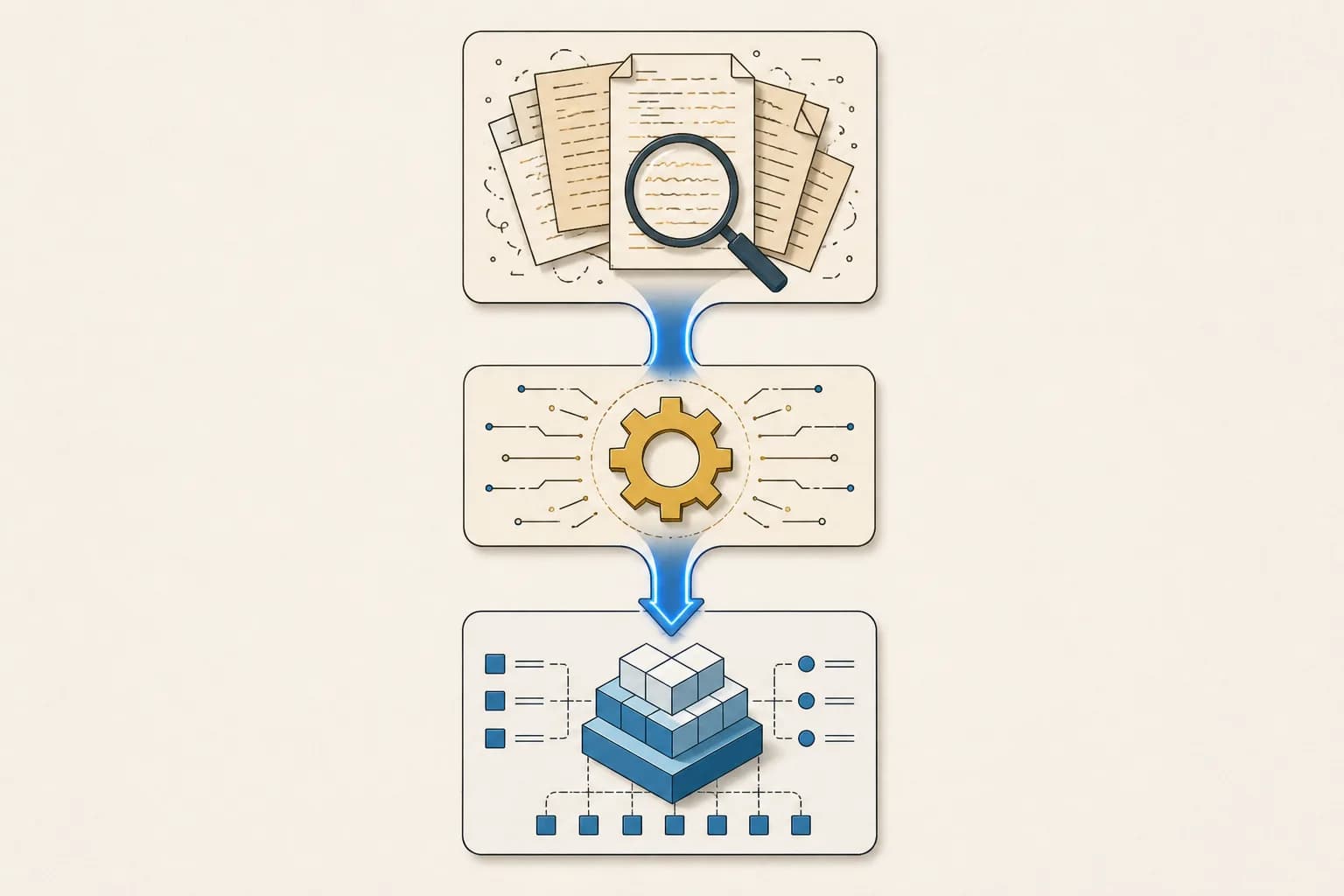
The Clarity Retrofit consists of three steps:
Step 1 — Extraction: document the as-is state
Let AI analyse your own code and produce a technical specification. The result is a document describing what your code actually does — not what you thought it did.
Prompt vault — vibe code audit
Analysiere das gesamte Projekt in diesem Verzeichnis.
Erstelle eine technische Bestandsaufnahme:

1. ARCHITEKTUR
   - Welche Dateien gibt es und wie hängen sie zusammen?
   - Gibt es eine klare Trennung von UI, Logik und Daten?
   - Wo sind die größten Architekturschwächen?

2. SICHERHEIT (KRITISCH)
   - Gibt es hardcodierte API-Keys oder Secrets?
   - Sind alle API-Routen authentifiziert?
   - Gibt es Input-Validierung?
   - Ist Row-Level-Security in Supabase aktiviert?

3. DATENMODELL
   - Welche Tabellen existieren?
   - Gibt es Migrations oder wurde alles über das
     Supabase Dashboard erstellt?
   - Fehlen Indexe oder Constraints?

4. TECHNISCHE SCHULDEN
   - Wo gibt es Code-Duplikation?
   - Welche Abhängigkeiten sind veraltet oder unsicher?
   - Wo fehlen Typen (TypeScript any-Typen)?

5. PRIORISIERTE EMPFEHLUNGEN
   - Top 5 kritische Fixes (Sicherheit zuerst)
   - Top 5 Architektur-Verbesserungen
   - Geschätzter Aufwand pro Fix (S/M/L)

Format: Strukturiertes Markdown-Dokument.
Sei schonungslos ehrlich — beschönige nichts.
Step 2 — Injection: set the rules
The output from step 1 becomes the basis for a CLAUDE.md or .cursorrules file — an architecture contract the AI reads and follows on every future change.
Prompt vault — CLAUDE.md security rules
# CLAUDE.md — Projekt-Leitplanken

## Absolute Regeln (NIEMALS brechen)
- NIEMALS API-Keys, Secrets oder Passwörter im Code.
  Immer Environment Variables verwenden.
- NIEMALS eine Supabase-Tabelle löschen oder RLS
  deaktivieren ohne explizite Bestätigung.
- NIEMALS Nutzereingaben ohne Validierung verarbeiten.
- JEDE neue API-Route muss authentifiziert sein.
- JEDE Datenbankänderung als Migration, nicht über
  das Dashboard.

## Architektur-Regeln
- Komponenten maximal 150 Zeilen. Wird es länger → splitten.
- Geschäftslogik gehört in /lib oder /services, nicht
  in Komponenten.
- Kein useState für globalen State. Zustand oder Context
  verwenden.
- TypeScript strict mode. Kein 'any' ohne Kommentar warum.

## Vor jedem Commit
- Läuft 'npm run build' fehlerfrei?
- Sind neue Funktionen mit mindestens einem Test abgedeckt?
- Sind alle Environment Variables dokumentiert?
Step 3 — Refactoring: rewrite the code under the new rules
With CLAUDE.md as guardrail, you let AI rewrite the existing code piece by piece. Not all at once — feature by feature, starting with the security-critical areas.
Prompt vault — structured refactoring
Lies die CLAUDE.md und die Bestandsaufnahme.

Refaktoriere jetzt [FEATURE/DATEI] nach diesen Regeln:

1. Trenne UI-Logik von Geschäftslogik
2. Extrahiere wiederverwendbare Hooks
3. Füge Input-Validierung hinzu (wo fehlend)
4. Ersetze alle 'any'-Typen durch korrekte TypeScript-Typen
5. Schreibe einen Unit-Test für die Kernfunktion
6. Dokumentiere die Änderungen als Kommentar im Code

Ändere NUR diese Datei/dieses Feature.
Brich nichts anderes kaputt.
Zeige mir einen Vorher-Nachher-Vergleich.
Why the Clarity Retrofit works: you don't throw away what works. You retroactively give working code the structure that vibe coding skipped. That's faster than a complete restart and preserves the functionality you've already validated.
The decivo-native 5-phase workflow for AI-driven MVP development is in our Building an MVP with AI guide. To sort out the tool landscape in parallel, the MVP Tools comparison covers costs, workflows, and decision aids.
Before/after: what the Clarity Retrofit changes in practice
Theory is good, a concrete example is better. Here's a typical security problem we regularly find in vibe-coded projects — and what the refactoring looks like:
Before (vibe-coded)
// API Route: Nutzerprofil abrufen
export async function GET(request: Request) {
  const url = new URL(request.url)
  const userId = url.searchParams.get('id')

  const { data } = await supabase
    .from('profiles')
    .select('*')
    .eq('id', userId)
    .single()

  return Response.json(data)
}
The problems:
- No authentication — anyone can fetch any profile
- No input validation — userId could be anything
- select(*) returns all fields, including sensitive ones
- No error handling — on failures the route silently crashes
After (post-Clarity-Retrofit)
// API Route: Nutzerprofil abrufen (authentifiziert)
import { createRouteHandlerClient } from '@supabase/auth-helpers-nextjs'
import { z } from 'zod'

const ParamsSchema = z.object({
  id: z.string().uuid('Ungültige Nutzer-ID'),
})

export async function GET(request: Request) {
  const supabase = createRouteHandlerClient({ cookies })

  // 1. Authentifizierung prüfen
  const { data: { session } } = await supabase.auth.getSession()
  if (!session) {
    return Response.json(
      { error: 'Nicht authentifiziert' },
      { status: 401 }
    )
  }

  // 2. Input validieren
  const url = new URL(request.url)
  const parsed = ParamsSchema.safeParse({
    id: url.searchParams.get('id')
  })
  if (!parsed.success) {
    return Response.json(
      { error: 'Ungültige Parameter' },
      { status: 400 }
    )
  }

  // 3. Nur eigenes Profil oder öffentliche Felder
  const { data, error } = await supabase
    .from('profiles')
    .select('id, display_name, avatar_url, created_at')
    .eq('id', parsed.data.id)
    .single()

  if (error) {
    console.error('Profil-Abfrage fehlgeschlagen:', error)
    return Response.json(
      { error: 'Profil nicht gefunden' },
      { status: 404 }
    )
  }

  return Response.json(data)
}
What changed: authentication, input validation, targeted field selection, error handling. Four changes that make the difference between "it works" and "it's safe enough for real users". No vibe-coding tool adds these things automatically — because security is rarely in the prompt.
3 paths from prototype to product
Not everyone needs the same path. The right strategy depends on whether you're technical, how much budget you have, and how complex your product becomes.
Path 1
Path 1 — DIY migration (for technical founders)
You have programming skills and want to keep control. You use the Clarity Retrofit (above) and work feature by feature from stage 1–2 to stage 3–4.
- Prerequisites: basic TypeScript/React knowledge, understanding of databases and API design.
- Realistic timeframe: 2 to 6 weeks, depending on complexity.
- Tools: Claude Code for the big refactoring blocks, Cursor for fine-tuning, Sentry for error monitoring.
- When this is the right path: your product isn't too complex (under 10 main features), you have more time than money, and you want to maintain the code yourself long-term.
Path 2 — Recommended hybrid
Path 2 — Hybrid: structure from professionals, development by you
A studio sets up the architecture, security, and infrastructure. You then continue developing yourself — with vibe coding, but inside clear guardrails.
- What the professional does: create CLAUDE.md with architecture rules, security audit and fixes, set up database migrations, configure CI/CD pipeline, ensure GDPR basics.
- What you do afterwards: new features with Claude Code or Cursor, UI tweaks, content changes — all within the guardrails.
- Realistic timeframe: a few days to 1 week for the setup, then independent.
- When this is the right path: you want to keep developing yourself, but the foundation must be professional. At decivo: UX Validation Loop from €1,350 or Innovation Workshop from €7,500.
This is the approach we call the "Clarity Sprint" at decivo. We create the clarity — you keep the control.
Path 3
Path 3 — Professional rebuild (for non-technical founders)
You use the vibe-coded prototype as a living specification — it shows what the app should do. A studio builds the production version on a clean stack, with professional architecture and security.
- Prerequisites: budget for a professional MVP — at decivo Code Prototype from €12,500. Willingness to treat the prototype as specification, not as code base.
- Realistic timeframe: at decivo a few days to a maximum of 2 weeks — not the industry-standard 4 to 8 weeks.
- When this is the right path: your strength lies in sales, marketing, or domain expertise — not technology. Your time is better invested in customer acquisition than in code refactoring.
Prompt vault — extract requirements from vibe-code prototype
Ich habe einen funktionierenden Prototyp mit Vibe Coding
gebaut. Erstelle daraus eine professionelle Übergabe-
Dokumentation für ein Entwicklungsteam:

Die App macht: [BESCHREIBUNG]
Screens/Features:
1. [FEATURE 1]
2. [FEATURE 2]
3. [FEATURE 3]

Erstelle:
1. User Story Map (Epics → Stories → Tasks)
2. Datenbankschema (Tabellen, Beziehungen, Felder)
3. API-Spezifikation (Endpoints, Methoden, Auth)
4. Priorisierung: V1 Must-Haves vs. Later
5. Nicht-funktionale Anforderungen (Performance,
   Sicherheit, DSGVO)

Ziel-Stack: Next.js 15 + Supabase (Frankfurt) +
Tailwind CSS + Vercel
Format: Markdown, bereit zur Übergabe.
Vibe coding with guardrails: the Clarity-before-Code approach
Vibe coding isn't the problem. Vibe coding without guardrails is the problem.
At decivo we use AI coding tools in every project. The difference: we set the guardrails before AI writes a single line. We call this "Clarity before Code" — and it's the counterpart to blind vibe coding.
What we do differently
Clarity first
Before we open Cursor or Claude Code, there's a product brief: problem, target audience, max 3 must-have features. That takes a day — and saves weeks.
Design before code
A clickable Figma prototype tested with real users before a single line of code is written. That costs a day and prevents us from building the wrong thing professionally.
CLAUDE.md as architecture contract
Every project starts with a CLAUDE.md defining rules, stack, conventions, and security requirements. The AI doesn't work freely — it works inside clear boundaries.
Human review for critical areas
Authentication, payments, database access — these areas are never blindly generated by AI and accepted. An experienced developer reviews every security-critical code block.
The result: the speed of AI-driven development — without the risks of blind vibe coding. A few days to a maximum of 2 weeks from vibe code to production code, instead of the industry-standard 4–8 weeks.
Cost comparison: three paths at a glance
| DIY (pure vibe coding) | Hybrid (Clarity Retrofit) | Studio (Clarity Sprint) | |
|---|---|---|---|
| Your time | 40–100h | 10–20h + setup | 3–5h alignment |
| Cost | €50–100/month (tools) | from €1,350 (UX Validation Loop) | from €12,500 (Code Prototype) |
| Code quality | Stage 1–2 | Stage 3 | Stage 3–4 |
| Security | ⚠ Uncontrolled | ✓ Professionally set up | ✓ Professional throughout |
| Scalability | Limited | Possible | Built in from day one |
| GDPR | Mostly not | Basics covered | Complete |
| Timeframe | 2–6 weeks | few days – 1 week | few days – max. 2 weeks |
Details on decivo packages on the services page.
Checklist: is your prototype ready for real users?
Before giving your vibe-coded prototype to real users with real data, walk through these 10 points. Every "no" is a risk.
Security
- No API keys or secrets in code (everything in environment variables)
- All API routes require authentication
- Supabase Row Level Security is enabled
- User input is validated (Zod, Yup, or similar)
Privacy
- Supabase project runs on EU server (Frankfurt region)
- Privacy policy in place (Supabase, Vercel, analytics tool named)
- Cookie banner if needed (not needed for Plausible, needed for Google Analytics)
Stability
- Error tracking set up (Sentry or comparable)
- At least one automated test for the most critical flow
- Rollback plan exists (Git tags or Vercel rollback)
- 0–3 met: your prototype isn't ready for real users. Start with the Clarity Retrofit.
- 4–7 met: you're on the way. Prioritise the missing security points.
- 8–10 met: you can launch — with one eye on monitoring.
Related tool
From prototype to product starts with an honest status check: where does your vibe-coded MVP actually stand? Our free Vibe Code Rescue scan checks the security, database, and architecture of your app and shows what really needs doing before go-live.
Sources
Every figure in this article comes from the publications below. Where we use our own data, the study is named in the text.
FAQ
Frequently asked questions about vibe coding and production readiness
What is vibe coding?
Vibe coding is a software development method where developers describe in natural language what an application should do, and AI tools like Cursor, Claude Code, or Lovable generate the code. The term was coined in 2025 by AI researcher Andrej Karpathy and describes a workflow where you "give in to the vibes" and let AI handle technical implementation. Collins Dictionary named vibe coding word of the year 2025.
When does vibe coding become dangerous?
Vibe coding becomes critical as soon as the project includes security-relevant functions — payment processing, personal data, authentication — or when the codebase hits the complexity ceiling: the point where new features break existing ones because the architecture was never planned. Studies show AI-generated code contains 2.74× more security issues than hand-written code.
Can you scale with vibe coding?
Only if the vibe code is transferred into a professional framework. Vibe-coded projects accumulate technical debt roughly three times faster than traditionally written projects. Scaling requires architecture guardrails, automated tests, and human code reviews — i.e. moving the vibe code into what we call the Clarity Retrofit.
What is the Clarity Retrofit?
The Clarity Retrofit is a structured 3-step process to retroactively bring clarity to chaotic vibe code. Step 1: Extraction — document the as-is state via AI analysis. Step 2: Injection — define architecture rules as CLAUDE.md or .cursorrules. Step 3: Refactoring — rewrite the code feature by feature according to the new rules.
What's the difference between vibe coding and professional AI-driven development?
Vibe coding in the original sense means accepting AI-generated code without fully understanding or reviewing it. Professional AI-driven development — like the Clarity-before-Code Sprint — uses the same AI tools, but within clear guardrails: defined architecture, security rules, human reviews for critical areas, and automated tests.
What does it cost to make a vibe-coded prototype production-ready?
It depends on the current state and chosen strategy. DIY migration (path 1): €50–100/month for tools, plus 2–6 weeks of your own time. Hybrid (path 2): UX Validation Loop from €1,350 or Innovation Workshop from €7,500, then independent development. Professional rebuild (path 3): Code Prototype from €12,500 — at decivo within a few days to a maximum of 2 weeks instead of the industry-standard 4–8 weeks.
How fast does decivo rebuild a vibe-code prototype?
A few days to a maximum of 2 weeks. This is possible because two things come together: first, the vibe code serves as already-validated specification — we know what the app should do and don't have to discover it. Second, we use the same AI stack (Claude Code, Cursor) as a DIY builder, but with engineering discipline and an architecture contract (CLAUDE.md). Classical agencies need 4 to 8 weeks for the same output.
Is vibe coding GDPR-compliant?
Not automatically. Most vibe-coding tools and generated apps run on US servers. For GDPR compliance you need to actively choose EU servers (e.g. Supabase Frankfurt region), sign a data processing addendum, create a privacy policy, and set up a cookie banner depending on the analytics tool. AI tools don't configure these things on their own.
What is the vibe-coding maturity scale?
The vibe-coding maturity scale is a four-stage framework for evaluating the production readiness of a vibe-coded application. Stage 1 (prototype): runs locally. Stage 2 (demo): others can use it. Stage 3 (MVP): you can make money with it. Stage 4 (product): it scales and is maintainable. Most vibe-coded apps sit at stage 1 or 2.
Related articles
16 min read
Is AI-Generated Code Production-Ready? What the 2026 Studies Actually Say
Our own study: 12 MVP features from a naive prompt meet only 19.6% of production-readiness controls in chat coding, 47.1% with the newest agent (Codex) — 0 of 12 ready. Plus every major 2026 study (Veracode, GitClear, METR) and the 5-question Build-On Test.
Read article22 min read
Lovable Alternatives 2026: An Honest Comparison + What Actually Helps
Four categories of alternatives — from Bolt.new and Cursor to a Lean Software Studio. With a decision guide, real costs, and the honest question: tool problem or skill problem?
Read article16 min read
AI Due Diligence 2026: How Pre-Seed Startups Build a Real Tech Moat
In 2026 no serious VC invests in thin AI wrappers. The 3-Tier Moat Architecture, the Sherlock Risk Formula, a wrapper-vs-moat comparison, and the tech due diligence cheat sheet with 10 questions.
Read articleVibe-code prototype runs but you wonder what comes next?
We help with the transition from vibe code to production — honest, no sales pressure. In a 15-minute discovery call, we look at your code and tell you whether a UX Validation Loop for €1,350 is enough or whether a Code Prototype from €12,500 is the right step. With us: a few days to a maximum of 2 weeks instead of the industry-standard 4–8 weeks.
Free · 15 minutes · No sales tactics